
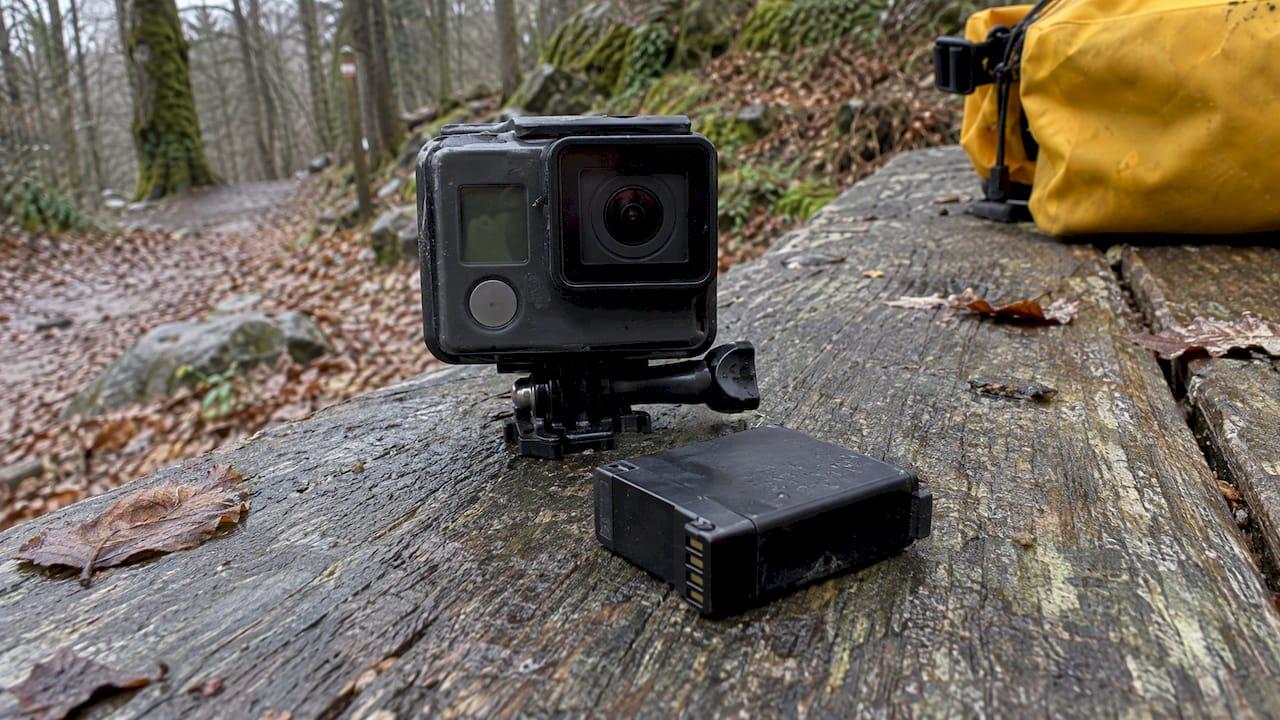
A GoPro battery lasts roughly 35 minutes to 2.5 hours, depending on the model, resolution, frame rate and temperature. The official figures are lab maxima. In independent tests, the same cameras record noticeably less. The reliable way to get more footage is to lower the demands on the camera, keep it at a sensible temperature and carry charged spares. We sell replacement batteries and test and repair batteries at AkkuPlus, so this guide is written from the battery's point of view: what drains it, what ages it and what you can do about both.
TL;DR
- Official runtimes range from 155 minutes (HERO12 Black at 1080p/30) down to 62 minutes (4K/120), measured under ideal conditions.
- CHIP's lab measured 102 minutes of UHD video on the HERO13 Black, well below the best-case numbers on paper.
- Cold slows the battery's chemistry, and heat ages it. Resolution, frame rate, GPS, Wi-Fi and voice control decide the rest.
- The cheapest runtime gain is a spare battery, stored at 40 to 60% charge when unused.
- A battery that dies early after years of use is usually worn out, not defective: that is a case for a battery test or replacement.
Table of Contents
- How long does a GoPro battery last?
- Why your runtime is shorter than the spec sheet
- How to extend GoPro battery life
- Is it the battery, the card or the charger?
- How to store and handle the battery
- Promo: when the battery is worn out
- Perspective
- FAQ
- Sources
How long does a GoPro battery last?
GoPro publishes a runtime table per model. The numbers below come from GoPro's German battery-life page, updated in May 2026. The company states they are averages from engineering tests under optimal conditions: 10 °C, Wi-Fi, GPS, stabilization and voice control off, and the screens set to switch off after a minute.
| Model | Setting | Official runtime |
|---|---|---|
| HERO12 Black | 1080p/30 | 155 min |
| HERO12 Black | 4K/120 | 62 min |
| HERO11 Black | 1080p/30 | 137 min |
| HERO11 Black | 5.3K/60 (no airflow / with airflow) | 35 / 61 min |
| HERO10 Black | 1080p/30 | 120 min |
| HERO9 Black | 1080p/24 | 145 min |
| HERO8 Black | 1080p/60 | 81 min |
| HERO7 Black | 4K/30 | 85 min |
| HERO6 Black | 1080p/60 | 100 min |
| HERO (2018) | 1080p/30 | 150 min |
The pattern is simple. More pixels and more frames per second mean more processing, more heat and a shorter runtime. The same camera can give you well over two hours at 1080p/30 and barely one hour at 4K/120.
Newer models
For the HERO13 Black, GoPro's product data (summarized by Mount & Lens) list more than 2.5 hours at 1080p30 and over 1.5 hours at 4K30 at 25 °C. The HERO13 uses a 1900 mAh Enduro battery, up from 1720 mAh, and that battery does not fit older GoPros. The same summary lists up to 5 hours at 1080p30 in Endurance Mode for the MISSION 1 series, with a 2150 mAh battery.

What independent tests measure
Lab numbers from the manufacturer are best-case. German testers measure under their own, usually tougher, protocol:
- CHIP's comparison, updated 22 November 2026, lists UHD runtimes of 102 minutes for the HERO13 Black, 95 for the HERO12 Black, 83 for the HERO10 Black and 77 for the HERO11 Black.
- In its HERO13 test, CHIP also recorded 76 minutes at 5.3K/60. At that setting the camera shut down after about half an hour from overheating in the lab, and the full charge took 114 minutes.
- COMPUTER BILD's 2026 test named the HERO13 Black its winner with 164 minutes at Full HD/60.
The numbers differ because the test settings differ. Read them as a ranking of models, not as a promise for your shoot.
Why your runtime is shorter than the spec sheet
Three things explain most of the gap: what the camera is doing, the temperature and the age of the battery.
Features that draw power
GoPro's own support team lists high resolution, lack of airflow, direct sunlight, Wi-Fi, GPS, voice control and protective housings as reasons the camera runs hot and uses more battery. COMPUTER BILD's older test showed the effect: with Wi-Fi, GPS and stabilization on, a GoPro recorded about 1:20 hours in 4K/30, against roughly 1:30 hours without them. That is a loss of about ten minutes from features alone.
Heat is often the real limit
In demanding modes, many cameras stop because they get too hot, not because the battery is empty. The HERO11's official table shows it: 35 minutes at 5.3K/60 without airflow, 61 minutes with airflow. If you mount the camera on a tripod in the sun, or in a closed housing, expect the lower figure.
Cold and age
GoPro explains that cold slows the chemical reactions in the battery and reduces charging speed, while heat accelerates degradation. That matters for winter sports in the Alps or the Black Forest: a camera that records for two hours in a warm room will give you much less on a ski lift at -10 °C. GoPro's Enduro battery article gives a concrete case: with a HERO10 Black at a battery temperature of -10 °C, the Enduro battery manages 115 minutes at 1080p30, against 120 minutes at 25 °C.
Age matters as well. GoPro's page notes that capacity decreases with age and use. A lithium-ion battery that has gone through a few hundred charge cycles will not reach the figures of a new one.
How to extend GoPro battery life
These steps cost nothing and work on most models. Do them in this order.
- Pick the lowest settings that still suit the shot. 1080p/30 gives the longest runtimes in every official table. Go to 4K/60 or higher only for footage that needs it, such as slow motion.
- Use GoPro's performance modes. GoPro recommends Extended Battery mode, which balances resolution and frame rate for battery life, and Tripod/Stationary mode for long shoots without airflow.
- Switch off what you do not use. GPS, Wi-Fi, voice control and stabilization all cost runtime. The HERO12 has no GPS, the HERO13 does, so check what your model does by default.
- Let the camera sleep. QuikCapture with a short Auto Power Off setting means the camera is only on while it records. An independent guide, Have Camera Will Travel, recommends this combination.
- Shorten the screen timeout and lower the brightness. The official figures themselves assume the screens turn off after one minute.
- Give the camera air. Record shorter clips and let it cool between takes if it gets warm in the sun or in a housing.
- Keep the battery warm in the cold. Carry the camera and spares in an inside pocket and put the camera in your hand or on the mount only when you shoot.
Rotate spares
GoPro's guide for extreme conditions recommends cycling two or three batteries through a shoot day and storing unused spares at 40 to 60% charge to avoid degradation. CHIP came to the same practical conclusion in its HERO13 test and recommended spare batteries for long shoots. A full battery is the cheapest insurance you can pack.
If your camera takes a battery type we stock, such as the GoPro AHDBT-201 / AHDBT-301 replacement battery (3.7 V, 960 mAh, Li-Ion), a second one in the bag doubles your recording time for the cost of one battery. Compare the type printed on your battery with the product name before you order.
Is it the battery, the card or the charger?
Short record times do not always point at the battery. GoPro's support article lists an old battery, a malfunctioning or underspecified SD card, and a camera that is too hot or too cold as the main causes. Its advice: charge fully, use a quality card, reformat the card in the camera and try a fresh battery.
A quick way to sort it out:
- Camera stops mid-clip, feels warm: heat. Lower the resolution, add airflow, shorten clips.
- Camera stops with an SD card message: the card. The MISSION 1 PRO manual, for example, shows an SD card rating message when the card is below the required A2 V30 rating or has degraded.
- Camera dies at 100% or drops fast in a warm room, on settings that used to work: the battery is worn.
- Battery will not charge at all: try another cable, a wall charger and a different USB port first. The HERO9 manual says a full charge takes about 3 hours, and you can check the battery status under Preferences > About > Battery Info. The HERO6 manual also says a USB-compatible wall charger works, so a USB port on a laptop is not the only option.
One detail from the MISSION 1 PRO manual is worth knowing for every model: that battery does not charge while the camera records. A power bank can help on some models, but check your own manual before relying on it for long recordings.
Battery runtime versus card capacity
The two limits are separate. A larger card does not give you more battery time. As a rough guide, one calculator estimates that a 256 GB card holds around 7.5 hours of 4K/60 H.264 video on a HERO12. In that case the battery, at under two hours, runs out first, and the card will not be your bottleneck.
How to store and handle the battery
Most GoPro batteries are lithium-ion or lithium-polymer cells. They age fastest when they sit fully charged in a hot place or fully drained for months. Keep spares around the 40 to 60% charge level GoPro recommends, in a cool, dry place away from direct sun, and never in a hot car. Our guide to LiPo and Li-Ion differences, safety and storage covers the cell types in more detail.
If a battery looks swollen, gets hot while charging or has been dropped hard, stop using it and take it out of the camera. Dispose of it at a battery collection point; in Germany, retailers and recycling centers take used batteries back.

Promo: when the battery is worn out
A battery that has lost much of its capacity gives you a camera that is perfectly good and an evening of disappointment. In that situation, the answer is a fresh battery or, for packs that can be serviced, a new set of cells. At AkkuPlus we offer battery tests and checks (Akkutests & -prüfungen), battery repair (Akkureparatur) and replacement batteries. Our GoPro replacement battery AHDBT-201 / AHDBT-301 is listed in the shop, and our service overview shows the other repair and test options.

For chargers, power supplies and other cells for your gear, browse Stromversorgung and Akku- und Batteriepacks.
Perspective
We see action cameras as a battery problem more than a camera problem. The sensor and processor get faster with every generation, and the cell next to them stays small, so the settings you choose decide how long it lasts.
Our advice is practical. Treat the manufacturer's figure as a ceiling, plan with the lower numbers independent labs publish, and bring a second battery for any shoot longer than an hour. Cold weather and high frame rates take the biggest bites out of the runtime, and a spare battery in your inside pocket solves both.
A battery is also a consumable part. When a camera that used to last all afternoon now lasts half an hour on the same settings, the cells are tired. That is the moment for a test or a replacement, not for buying a new camera. This is the work we do every day with batteries of all kinds, from household cells to e-scooter and device packs.
Waldemar Pelich
FAQ
How long is the battery on a GoPro?
It depends on the model and mode. GoPro's official table gives 155 minutes for the HERO12 Black at 1080p/30 and 62 minutes at 4K/120. In CHIP's lab, the HERO13 Black recorded 102 minutes in UHD. Plan with the lower numbers.
What is the 20/80 rule for batteries?
It is a habit of keeping a lithium-ion battery between roughly 20% and 80% charge to reduce wear. For a GoPro, the official guidance we can point to is narrower: store unused spares at 40 to 60% charge. Before a shoot, charge them fully.
How do I revive a GoPro battery that seems dead?
Charge it fully with a different cable and wall charger, then try the battery in the camera. GoPro's support advice is to charge properly and test a fresh battery, because old batteries lose their ability to deliver full power. If the battery still gives short runtimes, it is worn and needs replacing. A swollen battery must not be charged.
How long will a 256 GB card last on a GoPro?
One estimate puts it at about 7.5 hours of 4K/60 on a HERO12. The exact figure depends on the codec, resolution and bitrate. Either way, the card holds far more than a single battery can record.
Sources
- GoPro Kamera Akkulaufzeit
- GoPro Vergleich 2026, CHIP
- GoPro Hero 13 Black im Test, CHIP
- GoPro-Hero-Kameras im Test 2026, COMPUTER BILD
- GoPro Akkulaufzeit, COMPUTER BILD
- GoPro Battery Life by Model, Mount & Lens
- Keep Rolling: How to Extend GoPro Battery Life in Extreme Conditions
- Tips for Extended GoPro Battery Life + Accessories
- Short Record Times, GoPro Support
- GoPro Battery Life: Get More of It, Have Camera Will Travel
- MISSION 1 PRO user manual
- HERO9 Black user manual
- HERO6 Black user manual
- GoPro Storage Calculator
This article was created with the assistance of Artificial Intelligence (AI) and has been reviewed by our editorial team. Despite careful preparation, we assume no liability for the completeness, accuracy, or timeliness of the information provided. The technical data and specifications supplied by the respective manufacturer shall always prevail.