
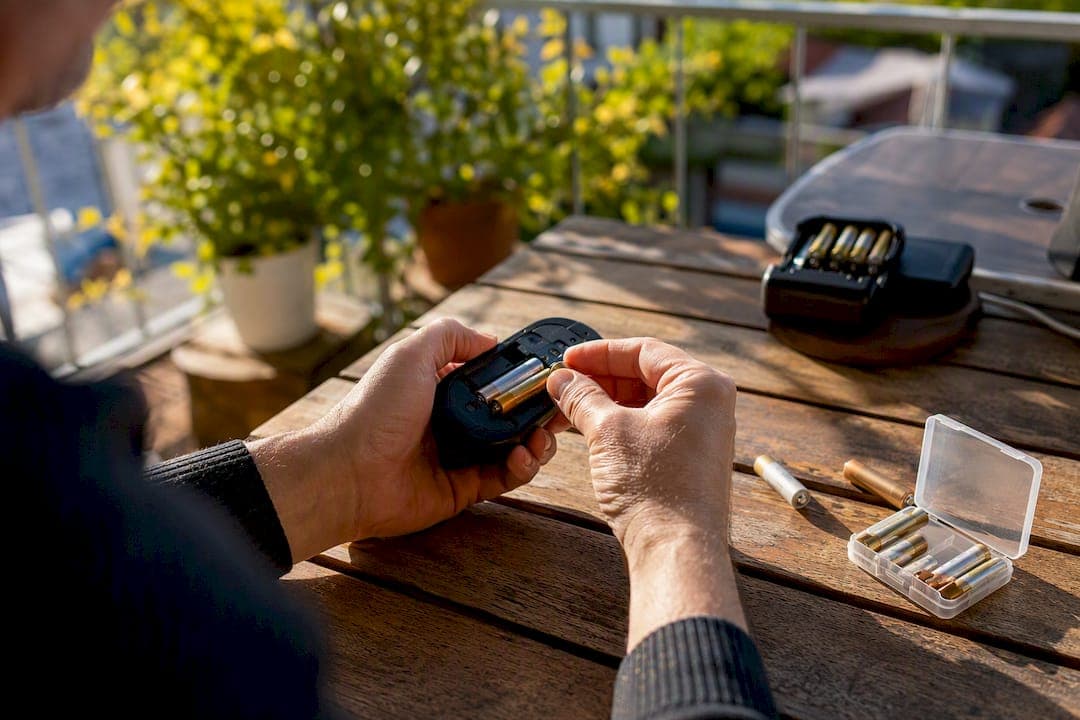
Most wireless mice run on AA or AAA alkaline cells, disposable AA lithium batteries, NiMH rechargeables, or a sealed lithium-ion pack built into the mouse itself. Runtime swings wildly based on which one you've got: a low-power office mouse on AA alkalines can coast for over a year, while a gaming mouse with RGB lighting on a 2.4GHz connection might tap out in a matter of hours to a few weeks.
Two numbers to keep in your head: a typical AA alkaline holds a moderate mAh capacity typical for disposable AA batteries, and switching from 2.4GHz to Bluetooth often stretches runtime by some percentage on the same mouse. If you're shopping for replacements or a charger setup, Akkuplus stocks both disposable cells and rechargeable options sized for exactly this job.
- AA/AAA alkaline or lithium cells (removable, most common in office mice)
- NiMH rechargeable AA/AAA cells (reusable, similar shape and voltage)
- Built-in lithium-ion pouch packs (sealed, found in most modern gaming and productivity mice)
Key Takeaways
Wireless mouse runtime depends far more on your settings, connection type, and battery chemistry than on any single spec printed on the box.
| Point | Details |
|---|---|
| Identify your battery type first | Check the battery door, manual, or OS Bluetooth menu to confirm AA/AAA, NiMH, or built-in Li-ion before buying replacements. |
| Settings move runtime more than you'd think | Shortening sleep timeout and lowering polling rate can improve real-world runtime by 20% to 60%. |
| Bluetooth beats 2.4GHz for battery life | Switching connection types on the same mouse commonly adds 15% more runtime. |
| Know the danger signs | A hot, swollen, or rapidly draining rechargeable pack means replace it immediately, never keep charging it. |
| Buy from a source that matches specs exactly | Akkuplus supplies disposable lithium AAs, NiMH rechargeables, and repair services for matching internal replacement packs. |
Is it safe to leave batteries in a wireless mouse for months without use?
Alkaline batteries can leak if left unused for extended periods, especially in warmer storage conditions, so it's worth removing them if you won't use the mouse for several months. NiMH and lithium cells handle long-term idle storage better.
Why does my wireless mouse battery drain faster than the manufacturer claims?
Manufacturer numbers usually reflect ideal conditions with default settings and no lighting effects. Higher DPI, a maxed-out polling rate, RGB lighting, and a long sleep timeout all shorten real-world runtime well below the advertised figure.
Table of Contents
- Common Wireless Mouse Battery Types Explained
- How Long Does a Wireless Mouse Battery Actually Last?
- How To Check Your Wireless Mouse Battery Level
- How To Replace Your Wireless Mouse Battery
- Rechargeable Or Disposable: Which Battery Makes Sense?
- Battery Degradation: When It's Time To Replace, Not Recharge
- What Battery Should You Buy For Your Wireless Mouse?
- Get The Right Battery Without The Guesswork
- Sources
Common Wireless Mouse Battery Types Explained
Pop open the battery door and you'll find one of three setups: a single AA, a pair of AAs, or a single AAA. Some compact travel mice use AAA cells to keep weight down, while full-size mice usually take AA. If there's no battery door at all, you're dealing with a built-in rechargeable pack that charges over USB or a charging dock.
Alkaline AAs run at about 1.5 volts and have mAh capacity varying by brand, depending on the brand and manufacturing batch. Lithium AAs like the Energizer Ultimate Lithium L91 hold closer to 3,100 mAh and perform far better in cold temperatures, which matters if you're using your mouse in an unheated garage workshop or an outdoor setup. NiMH rechargeables such as Panasonic Eneloop run at 1.2 volts and typically offer 1,900 to 2,500 mAh, with the trade-off being a slightly lower voltage that some sensors read as "weaker" even when the charge is fine.
Built-in lithium-ion packs are small rechargeable batteries with capacities typical for such devices, but they run at a stable voltage the whole discharge curve, which is part of why rechargeable gaming mice feel more consistent than an alkaline-powered mouse as the battery drains.
Figuring out which one you have isn't hard. Check the battery door for a printed label, glance at the mouse's spec sheet or manual, or open your operating system's Bluetooth settings, which often list connected device battery levels directly. If you're replacing removable cells, Duracell, Energizer, Panasonic Eneloop, and Varta are the four names you'll see most often on store shelves and they cover nearly every wireless mouse on the market.
- AA and AAA alkaline: cheapest, widely available, moderate capacity
- AA lithium (Ultimate Lithium L91): highest capacity, best in cold, longer shelf life
- NiMH rechargeable (Eneloop, Varta): reusable, stable voltage, lower per-use cost
- Built-in Li-ion pack: compact, consistent output, not user-replaceable in most cases
How Long Does a Wireless Mouse Battery Actually Last?
Manufacturer claims and real-world results rarely match, and the gap usually comes down to four settings you control: connection type, polling rate, DPI-driven sensor activity, and LED lighting.
An AA-powered office mouse on Bluetooth with default settings typically lasts multiple months to over a year. A rechargeable productivity mouse with a built-in Li-ion pack typically gets somewhere in the tens to low hundreds of hours per charge. A gaming mouse running RGB lighting and a 1000Hz polling rate on 2.4GHz can burn through a charge in a matter of hours to a couple of weeks with heavy daily use, according to testing on real-world drain factors from Wireless Mouse Battery Life: 5 Hidden Drain Factors.
- Connection type: Bluetooth generally consumes less power than a proprietary 2.4GHz USB receiver, adding noticeable runtime on the same hardware.
- Polling rate: Dropping from 1000Hz to 125Hz or 250Hz reduces how often the mouse "checks in" with your computer, which meaningfully cuts power draw.
- DPI and sensor activity: Higher DPI settings and constant tracking on a difficult surface (glass, glossy desks) make the sensor work harder.
- RGB and LEDs: Lighting effects are one of the biggest avoidable battery drains on gaming mice.
- Sleep timer: A short idle timeout lets the mouse power down between uses instead of staying fully awake.
That same testing found that shortening the sleep timeout and lowering the polling rate were the two highest-impact changes you can make, improving real-world runtime by 20% to 60% depending on your workflow. Logitech's own battery-life guidance notes that some models are rated for very long runtimes on a set of batteries while others have much shorter runtimes, purely based on power management design, purely based on how the mouse is designed to manage power. Marketing numbers usually reflect ideal lab conditions (low DPI, minimal clicking, no lighting), so treat the box figure as a ceiling, not a promise.
How To Check Your Wireless Mouse Battery Level
You don't need to guess. Most modern setups give you at least one, and usually two or three, ways to check.
- Open your mouse manufacturer's software (Logi Options+ for Logitech devices, or the equivalent app for your brand) and look for a battery percentage readout.
- Check your operating system's Bluetooth settings menu. Windows and macOS both display battery level for connected Bluetooth peripherals directly in the device list.
- Watch the mouse's own LED indicator. A blinking red or amber light usually signals low battery, while a solid or blinking pattern at power-on can indicate a dead cell.
- Notice behavior changes. Lag, dropped clicks, or reduced cursor responsiveness are often early signs before any visual warning appears.
Pro Tip: Keep one charged NiMH battery or a fresh alkaline set on your desk as a diagnostic tool. If swapping it in instantly fixes the problem, you know it was the battery. If not, you're looking at a connection or hardware issue instead.
How To Replace Your Wireless Mouse Battery
Removable AA or AAA cells are the easy case. Power off the mouse using its physical switch, slide open the battery door, and note the polarity markings stamped inside the compartment before pulling the old cells. Insert the new batteries matching the plus and minus symbols exactly, then power the mouse back on and reconnect it before sealing the door. Test the connection with a few clicks and cursor movements before you consider the job done.
Built-in lithium-ion packs are a different level of commitment. iFixit's teardown guides for models like the Logitech G PRO Wireless and MX Anywhere 3S walk through the process, and the steps are consistent across most sealed mice:
- Discharge the battery to a lower level first, generally under 15% to 25% charge, before opening the case, since a fully charged lithium cell is more volatile if damaged during disassembly.
- Warm the adhesive holding the mouse feet in place with gentle heat, then peel the feet back carefully to expose the hidden screws underneath, a step detailed in the MX Anywhere 3S battery replacement guide.
- Remove the screws, separate the shell, and disconnect the battery connector carefully. These connectors are small and easy to damage with excess force.
- Install the new pack, reconnect it, reapply adhesive or fresh double-sided tape, and reseat the feet.
- Never use metal tools near an exposed lithium cell; a short circuit can trigger a thermal event.
- A swollen or puffy battery is a warning sign, not a cosmetic quirk. Stop immediately and do not attempt to press, bend, or puncture it.
- If any step feels outside your comfort zone, a professional repair service, including Akkuplus's battery repair and cell replacement service, handles the disassembly and disposal safely.
Pro Tip: If your mouse feet tear during removal, order replacements before you start the repair. Reusing damaged feet leaves your mouse sliding unevenly on your desk afterward.
Rechargeable Or Disposable: Which Battery Makes Sense?
There's no universally correct answer here, and it really depends on how you use your mouse and how much you hate buying batteries.
Alkaline AA/AAA cells win on convenience and shelf life. They're everywhere, cheap up front, and can sit in a drawer for years without much self-discharge. Disposable lithium AAs like the Ultimate Lithium L91 cost more per cell but pack roughly 3,100 mAh and perform noticeably better in cold environments, plus they hold a charge on the shelf for a decade or longer. NiMH rechargeables such as Eneloop cost more initially, especially once you add a charger, but they pay for themselves after a handful of charge cycles and hold voltage more consistently under load than a fading alkaline. Built-in Li-ion packs sacrifice replaceability for a slimmer, lighter mouse with no battery door at all.
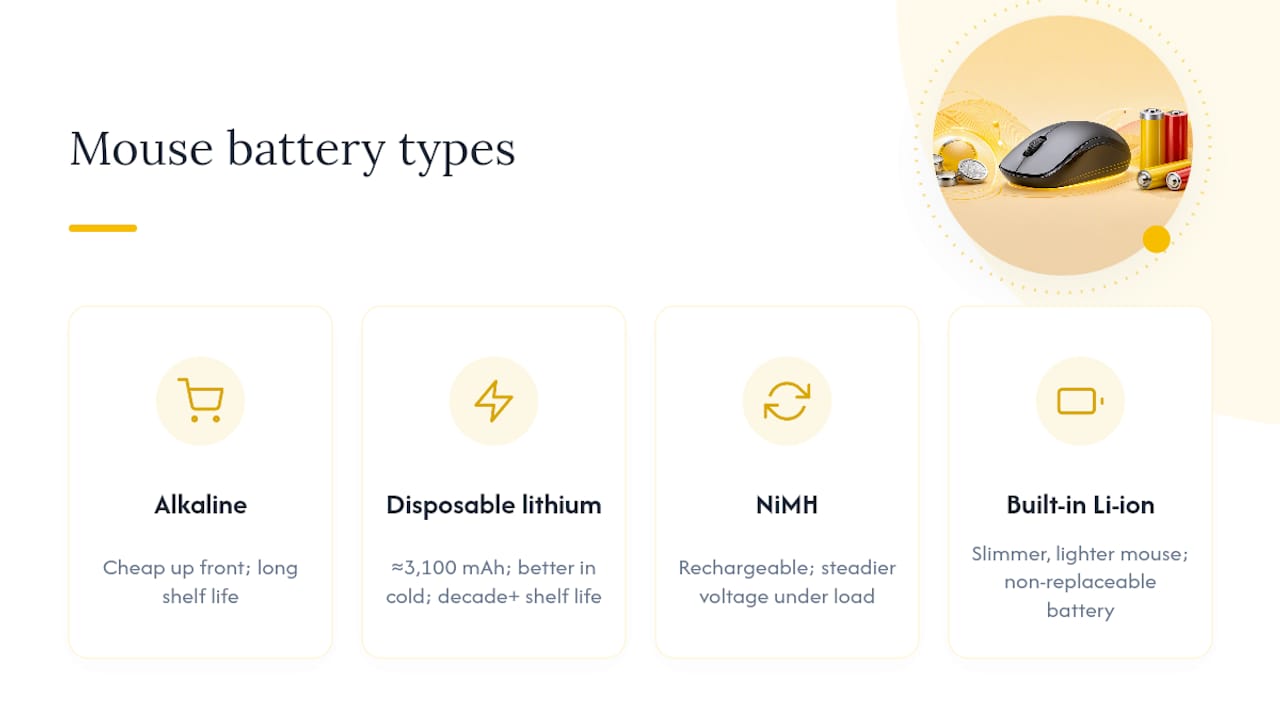
Rechargeable batteries pay for themselves over time compared to buying alkaline batteries monthly, with typical cost trade-offs depending on usage. For travelers who need long shelf life and don't want to carry a charger, disposable lithium wins. For anyone running a mouse daily at a desk, rechargeables usually make more financial and environmental sense. Spent alkalines and NiMH cells should go to a designated battery recycling point rather than the trash, since both contain materials that shouldn't end up in a landfill.
Battery Degradation: When It's Time To Replace, Not Recharge
Rechargeable batteries don't die suddenly. NiMH cells lose capacity gradually over many charge cycles, causing the need to recharge more frequently over time. Built-in lithium-ion packs lose noticeable capacity after many charge cycles or years of regular use, based on patterns documented across multiple iFixit battery replacement guides.
Watch for three warning signs specifically: a mouse that runs hot during normal use, a battery compartment or shell that looks slightly swollen or puffed out, and a runtime that keeps shrinking even after you've already optimized polling rate and sleep settings. Any one of those means it's time to replace the cell, not squeeze another few charges out of it.
Safety guidance on handling lithium-ion cells is blunt about this: avoid metal tools that can short the battery during removal, and always route old batteries through designated collection points rather than general trash.
- Stop using any battery that feels hot to the touch during normal operation.
- Never puncture, bend, or press on a swollen battery pack.
- Take dead alkalines, NiMH cells, and lithium-ion packs to a battery recycling drop-off point.
Pro Tip: If you're not sure whether your mouse's built-in battery is degrading or the settings just need tuning, try the sleep-timer and polling-rate adjustments first. If runtime doesn't improve, the battery itself is likely the problem.
What Battery Should You Buy For Your Wireless Mouse?
Match the battery to how you actually use the mouse, not to whatever's cheapest on the shelf that day. Office and productivity users who want to "set it and forget it" do well with NiMH rechargeables like Eneloop, since the stable voltage and low long-term cost outweigh the small upfront investment in a charger. Travelers who need a battery that survives months in a bag without draining should lean toward disposable lithium cells like the Ultimate Lithium L91, since their shelf life and cold-weather performance beat both alkaline and NiMH. Gamers with built-in rechargeable mice don't have much choice beyond keeping the mouse charged and watching for the degradation signs above.
- Check the exact size (AA vs AAA) and chemistry your mouse requires before buying.
- Match capacity to use case: higher mAh matters more for gaming mice, less for a mouse that sits idle most of the day.
- For internal replacement packs, note the voltage, connector shape, and capacity from your mouse's original battery, and send those details to a seller like Akkuplus to confirm a direct match before ordering.
- Favor NiMH with a charger for regular use, or high-capacity lithium disposables when weight and shelf life matter more than long-term cost.
Do all wireless mice use the same battery type?
No. Wireless mice split roughly between removable AA/AAA cells and sealed internal lithium-ion packs, and the two aren't interchangeable. Always check your specific model's specs before buying a replacement.
Can I use rechargeable AAs in any wireless mouse that takes AA batteries?
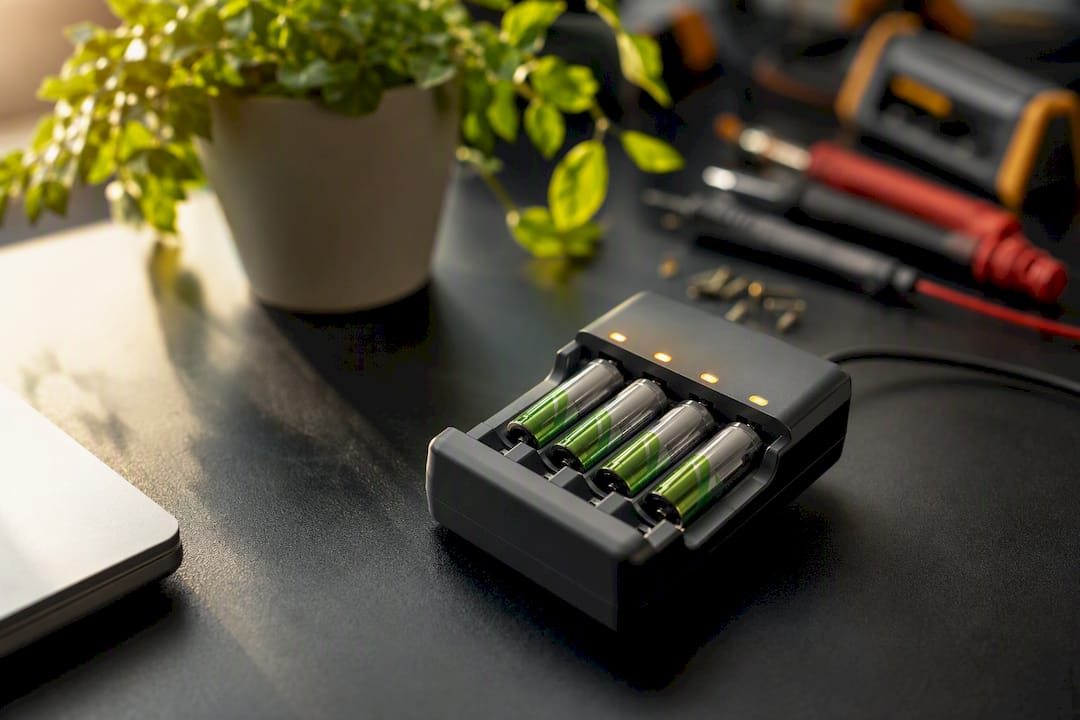
In almost every case, yes. NiMH rechargeables are physically the same size and shape as alkaline AAs, though their slightly lower voltage (1.2V versus 1.5V) can occasionally trigger a low-battery warning sooner than expected, even with a full charge.
How Common Battery Problems Show Up In Real Use
The most frequent issue isn't a dead battery at all. It's a mouse that's technically still working but underperforming because someone left the polling rate maxed out and RGB lighting on, then wonders why a "premium" mouse dies faster than a $10 office model. Runtime problems are usually a settings problem before they're a hardware problem.
When it genuinely is the battery, the fix depends on the mouse. Removable cells are a two-minute swap. Built-in packs are where people get into trouble, usually by skipping the discharge step or forcing a stuck connector instead of warming the adhesive first. If you're not confident taking a shell apart, a repair service that handles cell replacement, like the one Akkuplus offers, is worth the cost over risking a punctured cell.
Pro Tip: Keep one set of charged NiMH batteries specifically as a diagnostic tool, not for daily use. It's the fastest way to rule out the battery before you start disassembling anything.
Get The Right Battery Without The Guesswork
Once you know your mouse's exact battery type, ordering the right replacement should take minutes, not another afternoon of searching. Akkuplus stocks both disposable and rechargeable options in the sizes wireless mice actually use, including high-capacity lithium AAs for anyone who wants maximum runtime between changes.
If your mouse takes a standard AA cell, the Energizer Ultimate Lithium AA delivers roughly 3,100 mAh and holds its charge for years in storage, making it a solid pick for travel mice or backup stock. Not sure whether your current batteries are actually the problem before you buy new ones? A battery tester for standard and button cells settles that question in seconds. And if your mouse has a built-in pack that's swollen, dying fast, or simply too intimidating to open yourself, Akkuplus's repair service handles cell replacement so you're not left guessing with a screwdriver and a fragile connector. Head to Akkuplus to browse battery options or get a repair quote for your specific model.
Sources
- Logitech G PRO Wireless Battery Replacement - iFixit Repair Guide
- Wireless Mouse Battery Life: 5 Hidden Drain Factors
- Logitech mouse battery life: How long it lasts and how to check it
- Safe handling of lithium-ion batteries — KSJ Jena (safety guidance)