
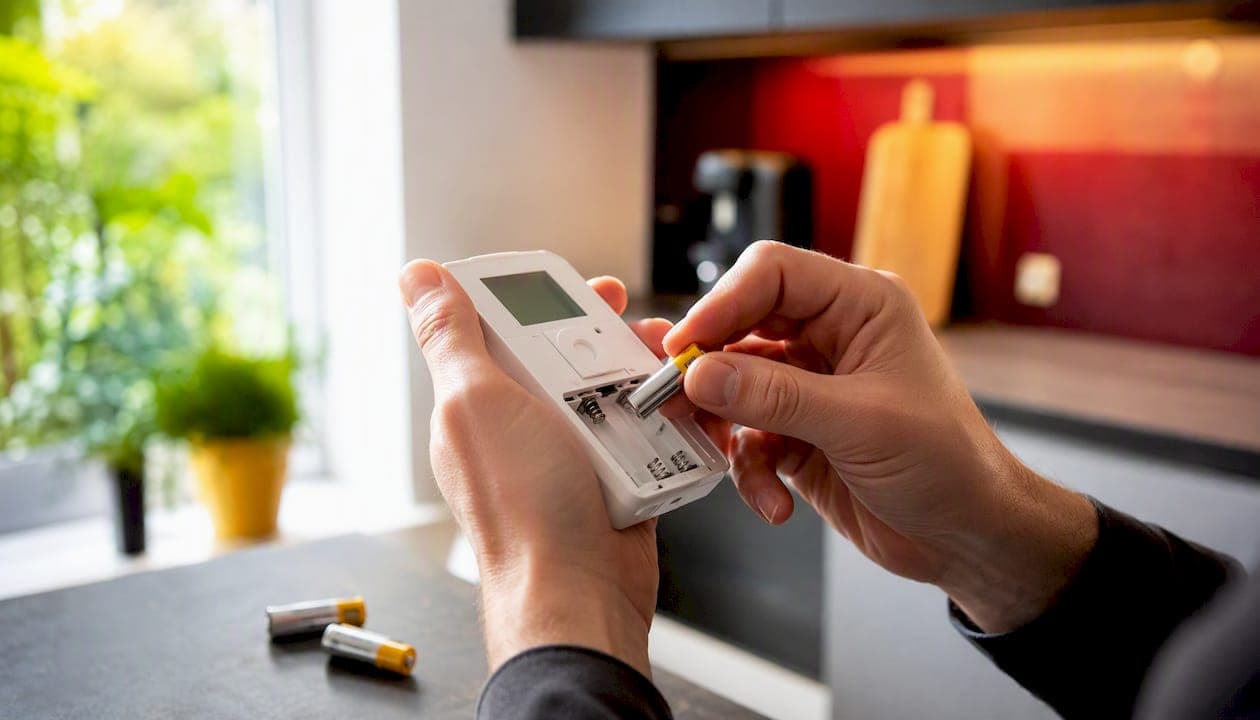
Pull the thermostat off its wall plate (or open the battery door), swap in fresh batteries with the correct polarity, and snap it back into place. Most homeowners finish in about 3 to 5 minutes, no tools required unless your model hides a security screw.
Once the new batteries are in, run three quick checks: the screen lights up, the LOW BAT message disappears, and the system responds when you bump the temperature a few degrees. If all three pass, you're done.
Before you touch the unit, have these ready:
- The correct battery type and size for your model (check the old batteries or the compartment label)
- A fresh, sealed pair, never a mix of old and new
- A small screwdriver, only if your thermostat has a visible security screw
- A flashlight to read the polarity markings clearly
Key Takeaways
A thermostat battery replacement is a 3 to 5 minute job that solves most low-battery warnings and blank screens without calling a technician.
| Point | Details |
|---|---|
| Match battery type exactly | Check the compartment for AA, AAA, 9V, or coin cell markings before buying replacements. |
| Never mix old and new | Mismatched charge levels between old and fresh batteries confuse the thermostat's circuit. |
| Try the reversal reboot | Remove batteries, reverse polarity for 30 seconds, then reinstall correctly if LOW BAT persists. |
| Suspect wiring after repeat failures | Rapid battery drain on wired thermostats often points to a C-wire or transformer issue, not the battery. |
| Buy sealed, quality cells | Akkuplus stocks Varta-, Duracell-, and Energizer-compatible sizes with voltage and capacity listed per product page. |
Table of Contents
- What You Need Before You Start a Thermostat Battery Replacement
- Step-by-Step Thermostat Battery Replacement
- Why Does LOW BAT Still Show After Changing Batteries?
- How Often Should You Replace Thermostat Batteries?
- Which Batteries Should You Buy, and How Do You Dispose of Old Ones?
- What Technicians Notice That Manuals Don't Mention
- Where to Buy the Right Thermostat Batteries
- Frequently Asked Questions
- Sources
What You Need Before You Start a Thermostat Battery Replacement
Household thermostats typically run on one of four setups: two AA batteries, two AAA batteries, a single 9V block, or a small 3V coin cell in older programmable models. The battery type is almost always printed inside the compartment or in the compartment cover itself, so check there before buying anything.
Most units need zero tools. A minority use a small security screw on the faceplate, in which case a flathead or Phillips screwdriver gets you in. Skip rechargeable NiMH cells unless your manual specifically says they're compatible. Rechargeables run at 1.2V instead of the standard 1.5V, and that voltage gap can trigger inaccurate readings or persistent low-battery warnings even with a full charge.
Pro Tip: Keep a spare pack of premium alkaline or lithium AA/AAA batteries in your home emergency kit. When the thermostat dies on the coldest night of the year, you won't be digging through drawers at 11 p.m.
Step-by-Step Thermostat Battery Replacement
1. Remove the thermostat from the wall. Most units use a snap-fit connection, grip the bottom edge and pull gently outward, and the body separates from the mounting plate still attached to the wall. Some models slide out on a small tray instead of popping off entirely. If yours has a visible screw near the bottom edge, back it out first. Honeywell's FocusPRO installation manual shows this exact pull-and-detach method, and most other brands follow a similar design.
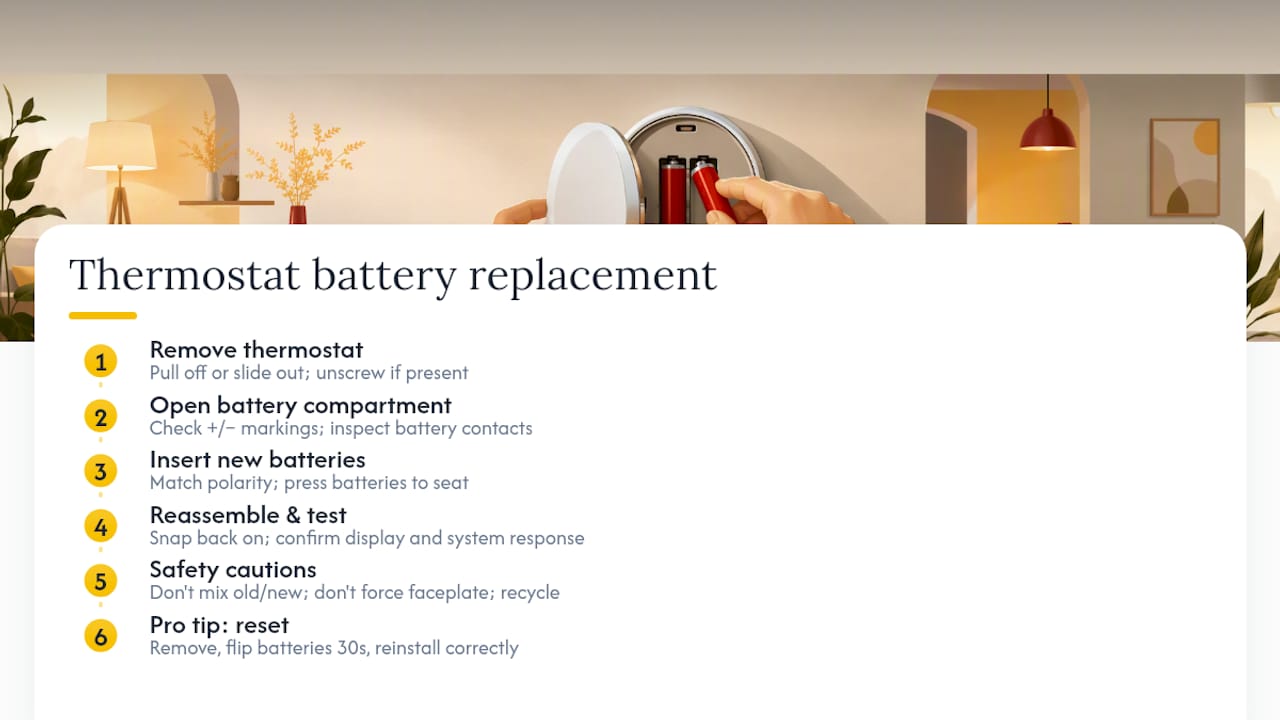
2. Find the battery compartment and check polarity. Look for the plus and minus symbols molded into the plastic housing. Pull out the old batteries and glance at the metal contacts. A little dust is normal; a chalky white or greenish crust means corrosion, and you'll want to clean that gently before moving on.
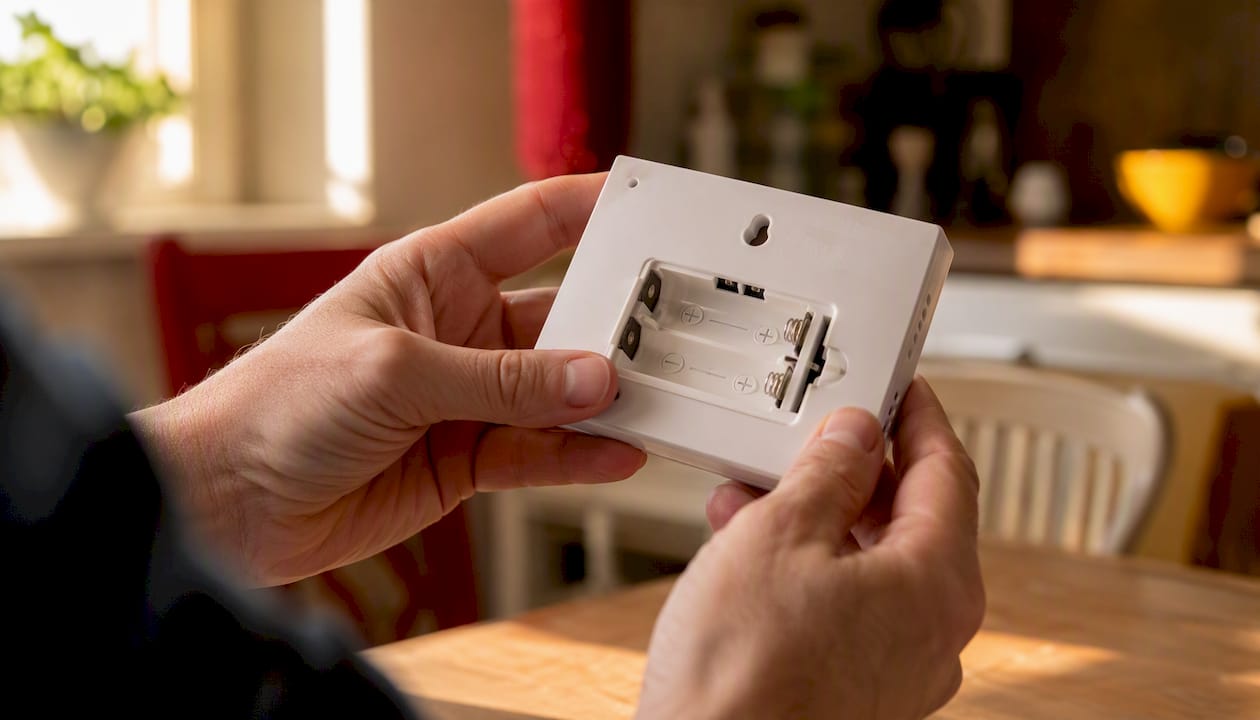
3. Insert the new batteries. Match the polarity marks exactly, and press each battery down until you feel it seat against the contact springs. Loose contact is the single most common reason a "fixed" thermostat still shows a dead screen. Close the compartment or slide the thermostat body back onto its wall plate until it clicks.
4. Confirm it's alive. The display should light up within a few seconds. Give it a moment to initialize, then change the setpoint by a couple of degrees and listen for your furnace or air handler to kick on. Most thermostats hold onto their saved schedule through a routine battery change, so you shouldn't need to reprogram anything.
A few things to avoid: never mix an old battery with a new one, even if the old one still looks fine, since mismatched charge levels confuse the internal circuit. Don't force a stubborn faceplate. Cracked mounting tabs are a common, avoidable repair. And set the dead batteries aside for proper disposal rather than tossing them in a drawer.
Pro Tip: If the screen is frozen or unresponsive after a swap, pull the batteries back out, flip them so the polarity is reversed, leave them like that for about 30 seconds, then reinstall them correctly. This mimics the reset Honeywell documents for clearing a stuck LOW BAT message on its CT3200, CT3300, T8112, and T8132 models, and it works on plenty of other brands too.
Why Does LOW BAT Still Show After Changing Batteries?
Three problems account for almost every post-replacement complaint.
If the LOW BAT message won't clear, first double check the batteries are genuinely fresh, not just new-looking, and properly oriented. If they check out, run the reverse-and-reinstall reboot described above. That single trick resolves the majority of stuck warning messages without any further work.
If the screen is blank, the thermostat probably isn't fully seated on its wall plate. Many models use a small pin-and-socket connection that also carries 24V power, and a partial connection blocks the display entirely. Pull it off and snap it back on firmly. While you're in there, inspect the contacts for corrosion and clean lightly with a dry cloth if needed.
If the display works but the HVAC never responds, the batteries aren't your problem anymore. Confirm the mode and setpoint are correct, then check whether the furnace or air handler makes any sound at all. A blown control-board fuse, often a small 3A or 5A automotive-style fuse, will silence the system even with a perfectly healthy thermostat. On smart thermostats wired to a C-wire, Google notes that batteries usually serve only as backup power, so a persistent low-battery alert on those units can actually point to a wiring or transformer issue rather than a dead cell.
Pro Tip: If you've swapped batteries twice in one week and the warning keeps coming back, stop replacing batteries and start checking wiring. That pattern almost always means a power supply problem, not a battery problem.
If you see melted plastic, burnt wiring, or heavy corrosion anywhere near the terminals, stop and call an HVAC technician. That's outside the scope of a battery swap.
How Often Should You Replace Thermostat Batteries?
Once a year, minimum, and immediately the moment you see a low-battery icon or a dim, fading display. Waiting past that point risks losing your programmed schedule or, worse, waking up to a cold house because the thermostat quietly stopped calling for heat.
Alkaline cells in a typical household thermostat last roughly 8 to 12 months under normal use, though heavy-draw smart displays on the low end of that range and simple mechanical-style units can stretch longer. Treat that window as a planning guide, not a guarantee.
- Replace immediately if the screen shows any low-battery symbol
- Replace immediately if the display looks dim or has gone fully blank
- Replace on a schedule even if nothing looks wrong yet
Pro Tip: Change your thermostat batteries the same day you change your smoke alarm batteries. Pairing the two tasks means you'll never forget either one, and most people already have a reminder set for smoke alarms anyway.
Which Batteries Should You Buy, and How Do You Dispose of Old Ones?
Stick with fresh, premium alkaline AA or AAA cells, or a 1.5V lithium AA where your thermostat's manual allows it. Lithium cells cost more upfront but resist voltage drop in cold weather and last considerably longer, which matters if your thermostat sits near an exterior wall.
Recognizable names like Varta, Duracell, and Energizer all make suitable alkaline and lithium options, and Akkuplus stocks sizes and voltages across those categories so you can match your thermostat's exact specification instead of guessing at the hardware store. Avoid low-voltage rechargeable NiMH batteries unless your manual explicitly permits them, since the 1.2V output sits below what most thermostats expect from a "1.5V" cell.
Buy sealed 2-packs or 4-packs rather than loose batteries pulled from a bulk bin. A partially discharged cell you didn't know about is a common reason a "fresh" replacement doesn't actually fix the problem.
When the old batteries come out, don't drop them in household trash, especially if they show any leakage or swelling. Most municipalities require battery recycling through community drop-off points or retail take-back bins, and leaking alkaline batteries can damage the surfaces they sit on.
What Technicians Notice That Manuals Don't Mention
The two mistakes we see most often: forcing a faceplate that's stuck on a misaligned pin, cracking the mounting tabs in the process, and mixing one old battery with one new one to "save" the half-used pair. Both cause callbacks that a fresh set of batteries would have prevented.
A gentle rub with a pencil eraser on corroded contacts fixes more dead thermostats than people expect. If you've replaced batteries three or four times in a year and the unit is over a decade old, that's usually a sign to replace the thermostat itself rather than keep chasing the same fault.
Where to Buy the Right Thermostat Batteries
Guessing at battery specs at a gas station rack usually means coming home with the wrong voltage or a cell that's been sitting on a shelf half discharged for months. Akkuplus lists the voltage and capacity right on each product page, so you can match your thermostat's exact requirement in the time it takes to read the label off your old batteries.

For most standard household thermostats, Energizer Ultimate Lithium AA cells are a strong upgrade over basic alkaline, holding voltage better in cold rooms and lasting longer between swaps. If your model runs on a 9V block instead, Panasonic's Alkaline Power 9V is sized correctly out of the box. Not sure if your old batteries are actually dead or just borderline, or want to confirm a new pack before you install it? A handheld battery tester takes the guesswork out in seconds. Browse the full battery catalog at Akkuplus to find the exact size and voltage your thermostat needs, and check the product pages for safe-handling and recycling notes on your old cells.
Frequently Asked Questions
What type of battery does a thermostat use? Most household thermostats use two AA or two AAA alkaline batteries. Older programmable models sometimes use a 9V block, and a few compact units rely on a small 3V coin cell. Check the compartment label to confirm before buying.
How do I know when my thermostat battery needs replacing? Watch for a low-battery icon, a dim or blank display, or an HVAC system that stops responding to setpoint changes. Replace at the first sign rather than waiting, since a fully dead thermostat can stop your furnace or air conditioner from running.
Why does my thermostat still say LOW BAT after I replaced the batteries? The batteries may not be fully seated, or they may not be as fresh as expected. If they check out fine, try removing them, reversing their polarity for about 30 seconds, then reinstalling them correctly. This documented reboot trick clears most stuck warning messages.
Can I use rechargeable batteries in my thermostat? Generally no, unless your manual specifically allows it. Rechargeable NiMH batteries output 1.2V instead of the standard 1.5V, which can cause inaccurate readings or trigger persistent low-battery alerts even when fully charged.
Why won't my HVAC system turn on even though the thermostat screen is working? The display working confirms the batteries are fine, but the problem likely lies elsewhere, most commonly a blown control-board fuse at the furnace or air handler, or a wiring issue if your thermostat relies on a C-wire for primary power.
Sources
- FocusPRO N100 series Installation manual — Battery Replacement
- Thermostat power and wiring guidance — Google support
- How to Replace a Honeywell Thermostat Battery (Step-by-Step Guide)
- Engineerskill