
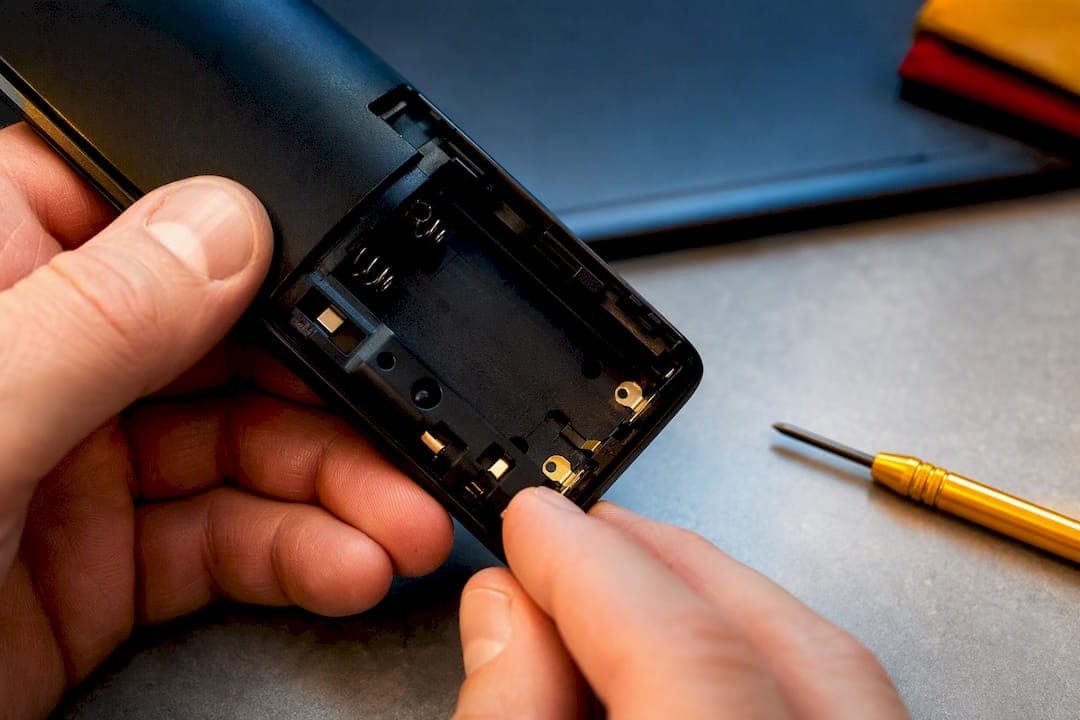
Match three things before you buy anything: the nominal voltage, the connector and polarity, and the model or OEM battery code printed on the old pack. Get those right and almost any compatible replacement will work fine. If the label has worn off or you're not sure, look up the handset model on a specialist retailer's website or check the phone's manual. That single check prevents most of the wrong orders people make.
TL;DR:
- Matching the correct voltage within a quarter volt is crucial, as a full volt mismatch generally prevents proper operation.
- Confirming the battery chemistry is essential because NiMH and Li-ion batteries require different charging circuits and are not interchangeable.
- Checking the compatibility listing and examining photos of the connector and physical size ensures the replacement fits and connects correctly.
- Keeping the old battery until a new one works helps verify the correct specs and prevents compatibility issues.
- Using retailer listings that specify the model, voltage, capacity, chemistry, and connector details reduces guesswork and ensures a proper fit.
Table of Contents
- Cordless Phone Battery Compatibility: A Step-by-Step Checklist
- NiMH vs. Li-Ion: Which Chemistry Does Your Phone Actually Use?
- How to Replace a Cordless Phone Battery Without Damaging the Handset
- How to Extend the Life of a Cordless Phone Battery
- Buying a Replacement Cordless Phone Battery: What to Check Before You Click "Order"
- What Most People Get Wrong About Replacing These Batteries
- Order the Right Replacement Battery Without the Guesswork
- Sources
Cordless Phone Battery Compatibility: A Step-by-Step Checklist
Getting the right cordless phone battery is mostly a matter of reading labels correctly, not guessing by shape. Here's the order to check things in before you place an order.
- Photograph the old battery first. Get a clear shot of the model number and any alphanumeric code stamped on the casing. Forum threads on battery replacement consistently point to this as the single habit that cuts down on wrong orders more than anything else.
- Confirm the nominal voltage and its tolerance. Cordless phone packs typically run at 2.4V, 3.6V, or 4.8V depending on how many cells are wired in series. A quarter volt off in either direction usually still works; a full volt off usually does not.
- Check the chemistry label. NiMH and Li-ion are not interchangeable in most handsets, and the label will say which one the pack uses.
- Note the connector type and physical size. Some handsets use a two-pin JST connector, others use bare wire tabs, and battery compartments vary just enough that a pack sized for one phone won't seat in another.
- Check whether the manual allows a higher mAh rating. Most handsets tolerate more capacity than the original battery had, since capacity mainly affects run time, not voltage output. Fewer allow less.
- Verify explicit compatibility on the product listing before you buy. A listing that names your exact handset model removes the guesswork the earlier steps are meant to solve.
- If the model number is gone, measure the pack. Note the length, width, and height in millimeters, and sketch or photograph the connector so a retailer can match it manually.
Pro Tip: Keep the old battery until the new one arrives and works. If the replacement fails or the handset won't charge it, you'll want the original on hand to compare pins, size, and printed specs side by side.
NiMH vs. Li-Ion: Which Chemistry Does Your Phone Actually Use?
Most cordless home phones use nickel metal hydride (NiMH) batteries, and there's a real engineering reason for that rather than just habit. NiMH cells tolerate the simple trickle-charging circuits built into most cordless phone bases, they're forgiving of the occasional overcharge, and they've been the default choice for cordless handsets for years because they're cheap to manufacture and safe under everyday home use.
Lithium-ion shows up mainly in slimmer, higher-end handsets where every millimeter of battery thickness matters. It packs more energy into less space and self-discharges more slowly when the phone sits idle for a few days. The tradeoff is that Li-ion needs tighter charging control. A charging circuit built for NiMH doesn't manage Li-ion's voltage cutoffs correctly, and running the wrong chemistry through the wrong charger is a real safety risk, not just a performance one.
The buying rule that matters most:
- Match the chemistry your handset manual specifies. Don't substitute Li-ion for NiMH or vice versa unless the manufacturer explicitly says both are supported.
- Never charge a non-rechargeable (disposable) cell in a cordless phone base, even if it happens to fit the compartment.
- If the old pack is NiMH, buy NiMH. If it's Li-ion, buy Li-ion. This is not a place to experiment for the sake of a slightly better spec sheet.
Manufacturers design the charging electronics around one chemistry from the start. Swapping in the other type without confirming the base station supports it can shorten the new battery's life or damage the handset outright.
How to Replace a Cordless Phone Battery Without Damaging the Handset
Swapping the pack itself takes a few minutes. Getting the first charge right matters more than the mechanical part.
- Power down and unplug the base station before opening the battery compartment, especially on models where the battery sits under a locking cover.
- Check polarity before inserting the new pack. Most compartments are keyed so the connector only fits one way, but loose wire-tab designs can be reversed by accident.
- Seat the pack fully and close the compartment, making sure the connector clicks or seats flush rather than sitting at an angle.
- Charge overnight on the first cycle if the manual recommends it. Many handsets run an initial full charge cycle automatically the first time they detect a new battery.
- Leave the battery in the handset afterward if your model uses trickle charging. Removing it repeatedly just to "save" it often forces the phone to run that initial charge cycle again and again, which wastes cycles rather than preserving them.
A few safety rules apply regardless of handset brand: never attempt to charge a disposable alkaline cell, stop using any pack that looks swollen or feels warm at rest, and drop dead batteries at a recycling point rather than the household trash.
If the phone doesn't seem to recognize the new battery, try reseating the contacts first, since a slightly bent tab is a common culprit. Give it a full overnight charge before assuming it's faulty. On models that use two battery cells wired as a matched pair, replace both cells together rather than mixing an old cell with a new one. A mismatched pair charges unevenly and shortens the life of both.
Pro Tip: If the base station shows a charging light but talk time still feels short after a full overnight charge, the issue is often the base's contacts, not the battery. A quick wipe with a dry cloth solves more "dead battery" complaints than people expect.
How to Extend the Life of a Cordless Phone Battery
Set your expectations first: a rechargeable cordless phone battery typically lasts 1 to 3 years and starts to degrade noticeably after roughly 300 to 500 charge cycles, as internal resistance climbs. Other lifespan data points to a narrower 1 to 2 year window under normal daily use, with careful charging habits stretching that toward the higher end.
Heat is the biggest lever you actually control. Charging at 35°C instead of 25°C can roughly cut a battery's usable life in half, since chemical degradation accelerates with every 10-degree rise in ambient temperature. That single fact explains why a base station sitting on a sunny windowsill or next to a radiator wears out its battery faster than an identical one in a cooler hallway.
Practical habits that add real months to a pack's life:
- Keep the base station out of direct sunlight and away from radiators or other heat sources.
- Leave the battery in the handset if your model uses trickle charging rather than pulling it out between uses.
- Avoid letting the battery run all the way to empty repeatedly when you can help it; partial discharges are gentler on most NiMH and Li-ion chemistries.
- For long-term storage, such as a spare handset you rarely use, store the battery partially charged in a cool spot rather than fully charged or fully drained.
None of this changes the chemistry, but it does change how quickly that chemistry wears out.
Buying a Replacement Cordless Phone Battery: What to Check Before You Click "Order"
A good product listing does most of the compatibility work for you, if you know what to look for. Before ordering, check that the page explicitly names your handset model rather than just listing a generic battery code, since a code can technically match several battery shapes across different manufacturers.
Look for these details on any listing before buying:
- Explicit handset compatibility, ideally listing the exact model or model family by name.
- Clear photos of the connector and physical dimensions, not just a stock studio shot of a generic cell.
- Stated voltage, capacity in mAh, and chemistry (NiMH or Li-ion) rather than vague marketing language.
- A visible returns or warranty policy in case the pack doesn't fit despite matching the listed specs.
- Relevant certification marks (CE, TÜV, or UL depending on where the product is sold) on the packaging or listing.
On the question of OEM versus compatible replacements: an OEM pack from the original handset manufacturer costs more but removes almost all guesswork. A reputable compatible pack, like the ones Akkuplus lists with full voltage, capacity, and chemistry specs, usually costs less and performs just as well, provided the listing states clear compatibility rather than a vague "universal fit" claim.
| What to check | Why it matters |
|---|---|
| Exact handset model listed | Confirms fit without measuring by hand |
| Voltage and mAh stated | Prevents under or overpowering the circuit |
| Chemistry labeled (NiMH/Li-ion) | Matches the charging circuit correctly |
| Connector photo shown | Catches wire-tab vs. plug mismatches |
| Returns policy visible | Covers you if the fit is still wrong |
Some specialist retailers build their cordless phone battery listings around this exact logic. Product pages such as the Connect3000 NB-3L Li-ion replacement show voltage, capacity, and chemistry up front, so you're matching specs rather than guessing from a photo.
What Most People Get Wrong About Replacing These Batteries
The most common mistake isn't a bad purchase decision. It's an assumption: that if a battery physically fits the compartment, it's the right one. Shape tells you almost nothing about voltage or charging requirements. A pack that clicks into place but runs at the wrong voltage will either undercharge, overheat, or shorten the handset's working life within a few months.
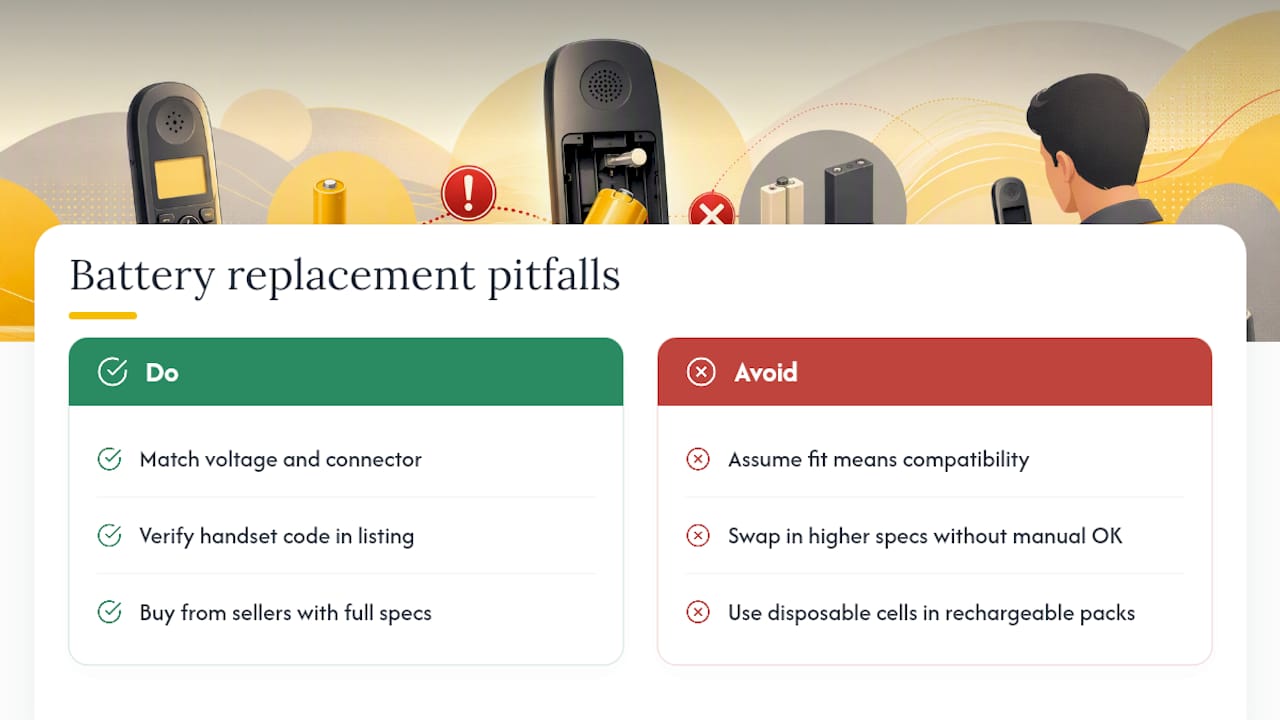
The second mistake is chasing a slightly higher voltage or capacity spec thinking it's an upgrade. It isn't, unless the manual specifically allows it. And the third, still surprisingly common, is reaching for a disposable cell because it happens to be the same physical size. Disposable cells were never built to handle a charging current, and putting one in a cordless phone base is a fire risk, not just a compatibility issue.
The rule that solves all three: match voltage and connector first, then verify the exact handset code against the product listing before you pay. Retailers that publish full specs and searchable handset codes make that verification step almost trivial instead of a guessing game.
— Waldemar
Order the Right Replacement Battery Without the Guesswork
Once you know the voltage, connector, and battery code you're looking for, the actual shopping part should be the easy step, and that's where some specialist retailers save you time compared to scanning generic marketplace listings with vague specs. Every cordless phone battery page lists the exact voltage, capacity, and chemistry up front, along with the handset models it fits, so you're confirming a match instead of hoping one works.
Browse a listing like the Philips XALIO DECT replacement pack to see how the specs and compatibility are laid out, or search the full battery catalog by handset model or battery code if your phone isn't an exact match to what you've seen so far. If you're ever unsure whether a pack is still holding a proper charge, a simple battery tester takes the guesswork out of deciding whether it's time to replace it at all. Check compatibility, place the order, and you're done.
Sources
- Things to know about rechargeable telephone batteries | Gigaset service
- How long will a recharged battery last? — PoweringAutos
- Why do cordless phones often use NiMH batteries? — Himax Electronics